

Choosing which sizes to sell on Etsy is one of the first decisions new print sellers face — and one of the most consequential. The sizes you offer determine your price range, your target buyer, and how easily your buyers can frame the work they purchase.
This guide covers which sizes work best on Etsy, which sizes to start with, and how to build a catalog that works across price points and markets.
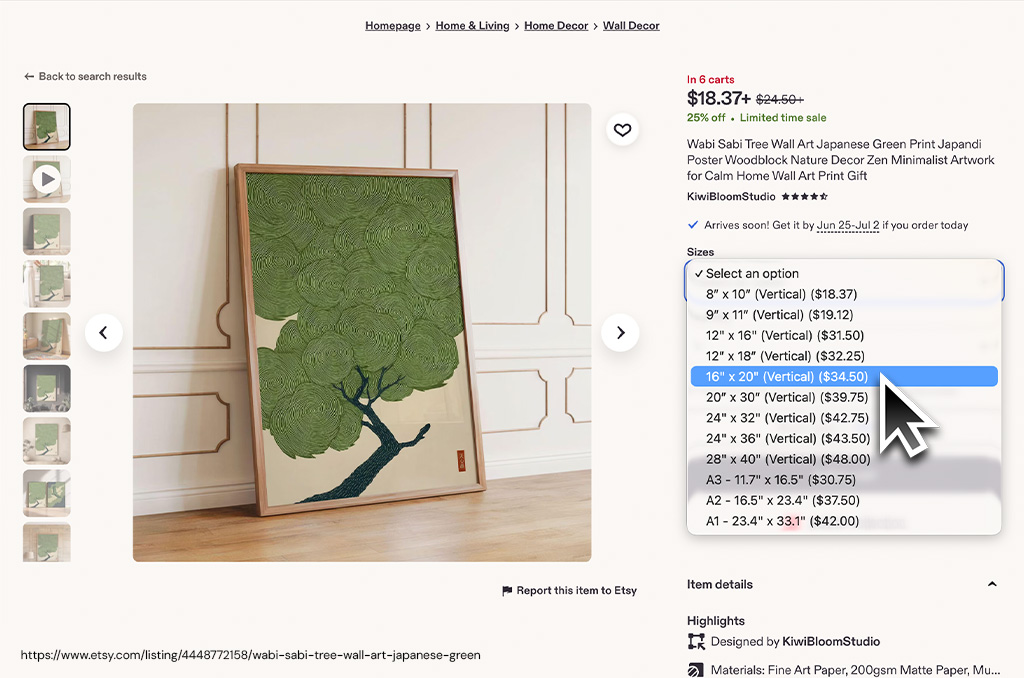
Print size demand on Etsy
Based on aggregated search volume data and Etsy bestseller analysis, here's how demand maps to size:
| Size | Ratio | Demand | Notes |
|---|---|---|---|
| 5 × 7 in | 5:7 | High | Strong gift market. Easy impulse buy price point. |
| 8 × 10 in | 4:5 | Very high ⭐ | Single best-selling size. Widely framed. Great first listing size. |
| 11 × 14 in | 11:14 | High | Popular mid-size. Strong gift appeal. Easy to frame. |
| 16 × 20 in | 4:5 | High | Premium price tier. Raises average order value. |
| 18 × 24 in | 3:4 | Medium | Statement piece buyers. Helps anchor high-end catalog. |
| A4 (8.3 × 11.7 in) | A-series | Medium | Popular in EU markets. Standard printer media in Europe. |
| A3 (11.7 × 16.5 in) | A-series | Medium | Popular EU mid-size equivalent to 12×16. |
| 5 × 5 in | 1:1 | Low | Niche. Custom frame usually required. Not recommended for new shops. |
Building a smart size catalog
Starting out: two sizes
If you're just launching, start with 5×7 and 8×10. These cover a gift price tier and a premium tier, use the same aspect ratio family (5:7 and 4:5 are both frameable for most buyers), and are the two sizes most print labs stock as defaults. You can add sizes later without redesigning your artwork.
Growing your catalog: four sizes
Add 11×14 and 16×20 once you have proven demand. This gives you four price points and four gift options. All four are in the 4:5 / 11:14 frame ecosystem — your buyer can find ready-made frames at IKEA, Target, or any craft store.
Selling to EU buyers
If you're targeting Europe, add A4 (21×29.7cm) and A3 (29.7×42cm) variants. These fit standard European frames and are what most EU buyers expect. A4 is close to but not the same as US Letter — make sure your print lab can cut to true ISO A-series dimensions.
Sizing for digital downloads
The most important thing to understand about digital downloads is that your source resolution determines the largest size your buyers can print at good quality. 300 DPI is the standard for sharp prints — but at large sizes, 150 DPI is genuinely indistinguishable from 300 DPI at normal viewing distance and produces files that are a quarter the size.
If you're working from AI-generated images, the default output from tools like Midjourney or DALL·E is typically 2048 × 2048 px. That's 300 DPI at about 6.8×6.8 inches — fine for small prints, but too low for anything larger. Before listing, run your image through an upscaler. Topaz Gigapixel AI (desktop, best quality), Magnific AI (web-based, great for illustrations), and Adobe Firefly are all solid choices. A 2× upscale to 4096 px gives you 300 DPI up to roughly 13×13 in, or a very respectable 200 DPI at 16×20 — enough for a sharply-printed wall piece.
On the other end: don't go overboard chasing maximum resolution for large formats. A 24×36 print at 300 DPI needs a 7200×10800 px file — which is enormous and will push against Etsy's 20MB download limit even as a JPEG. For anything above 16×20, target 150–200 DPI instead. Your buyers won't notice the difference from a meter away, and their download will be a fraction of the size.
| Source resolution | Max print @ 300 DPI | Max print @ 150 DPI | Typical source |
|---|---|---|---|
| 2048 × 2048 px | ~6.8 × 6.8 in | ~13.6 × 13.6 in | Standard AI output (Midjourney, DALL·E) |
| 2400 × 3000 px | 8 × 10 in | 16 × 20 in | Scanned 8×10 at 300 DPI, camera export |
| 3300 × 4200 px | 11 × 14 in | 22 × 28 in | Scanned 11×14 at 300 DPI |
| 4096 × 4096 px | ~13.6 × 13.6 in | ~27 × 27 in | AI with 2× upscale (Topaz, Magnific) |
| 4800 × 6000 px | 16 × 20 in | 32 × 40 in | High-res scan or large digital canvas |
| 7200 × 10800 px | 24 × 36 in | 48 × 72 in | Large-format scan, native vector/raster |
Delivery tips
- Use JPEG, not PNG, for large files. JPEG at 80–90% quality compresses a 4800×6000 px file to roughly 8–12MB — well within Etsy's 20MB limit. PNG at those dimensions will likely exceed it. Use PNG only for small sizes where transparency is needed (e.g., sticker sheets).
- If your file exceeds 20MB, use Dropbox or Google Drive. Upload your files to cloud storage and deliver a public shareable link as the Etsy download. Buyers click it and download directly. Set the link to "anyone with link can view" and note in your listing description that the download is a link, not a direct file.
- Include a print guide in the download. A one-page PDF with your pixel dimensions, the DPI at each advertised size, and a recommended print lab or two (Printful, Parabo, Canva Print) eliminates the most common post-purchase questions and noticeably improves review sentiment.
Mockup sizing for your Etsy listings
When creating listing mockups, the size of your print should be matched to the size of the frame in the scene. A 12×16 print that appears in a mockup designed for an 8×10 frame will look stretched. A 24×36 print in a mockup scaled for an 11×14 will look cramped.
Bello Studio handles this automatically with true-to-scale rendering: enter your artwork's physical print dimensions and it renders at exactly the right scale in every scene — so a small print never looks monumental, and a large print is correctly sized against the room.
True-to-scale mockups for every size
See your print at the right scale
Upload your artwork, enter your dimensions, and see it sized correctly in every scene. No guessing.
TRY STUDIO FREE