

Free Photoshop Plugin
Frame your art in Photoshop.
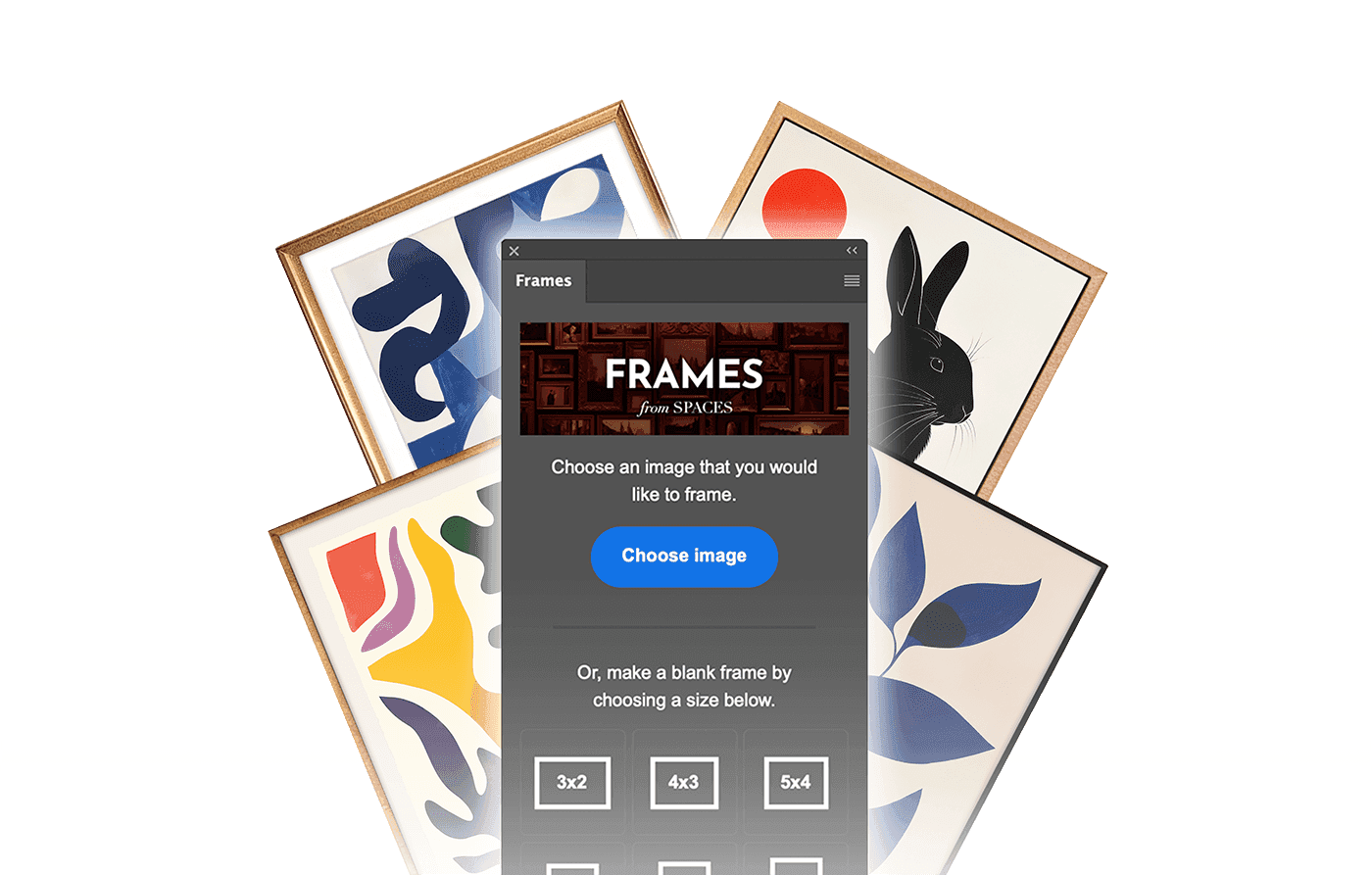
Frame your art and customize Bello mockups using our free plugin for Adobe Photoshop.

Featured by Adobe Photoshop.
See FRAMES in action on the official @photoshop Instagram account.
How it works.
Once FRAMES is installed, you can access it inside Photoshop. Just open a new or existing document and start building frames.
Designed for Bello.
Open any Bello mockup with Photoshop, and FRAMES will display available frames. Insert your art into existing frames, or create new ones custom-fitted to your art.
Customize your frames.
Choose from 12 diverse frame styles, with color and lighting control. Build a custom mat board, design floating frames, and so much more.
Complete Feature List
Everything you need to build polished framed presentations.
Frame and image
- Place your image into the frame with one click.
- Create custom-fitted frames for your images.
- Choose among 7 pre-defined frame aspect ratios (2x3, 3x4, 4x5, 1x1, 5x4, 4x3, 3x2).
- Choose among 12 diverse frame styles.
- Modify the color, curves, and horizontal direction of each frame.
- Add blur to the frame and image.
Shadows
- Modify the frame's inner shadow.
- Use inner shadow control to create floating or inset frames.
- Choose from 6 different wall shadow options.
- Flip shadow orientation to match the scene.
Mat board
- Create a custom mat board, with support for weighted mats.
- Fit artwork to the mat board opening or to the frame.
- Build clean gallery-style presentations from scratch.
Tutorial
See FRAMES in a real workflow.
Follow our step-by-step guide to building a custom wall art mockup in Photoshop, from an empty room to a finished, framed scene.
We're constantly
improving.
Let us know how we can improve FRAMES, or reach out to us for support.