

Free virtual exhibition maker
Put on a virtual art exhibition.
A 3D show anyone can walk through from a link, for a class project, a student show, or an exhibition that stays open after the walls come down. Your exhibition is a Bello gallery: a real room you hang the work in, with your show’s title on the wall.
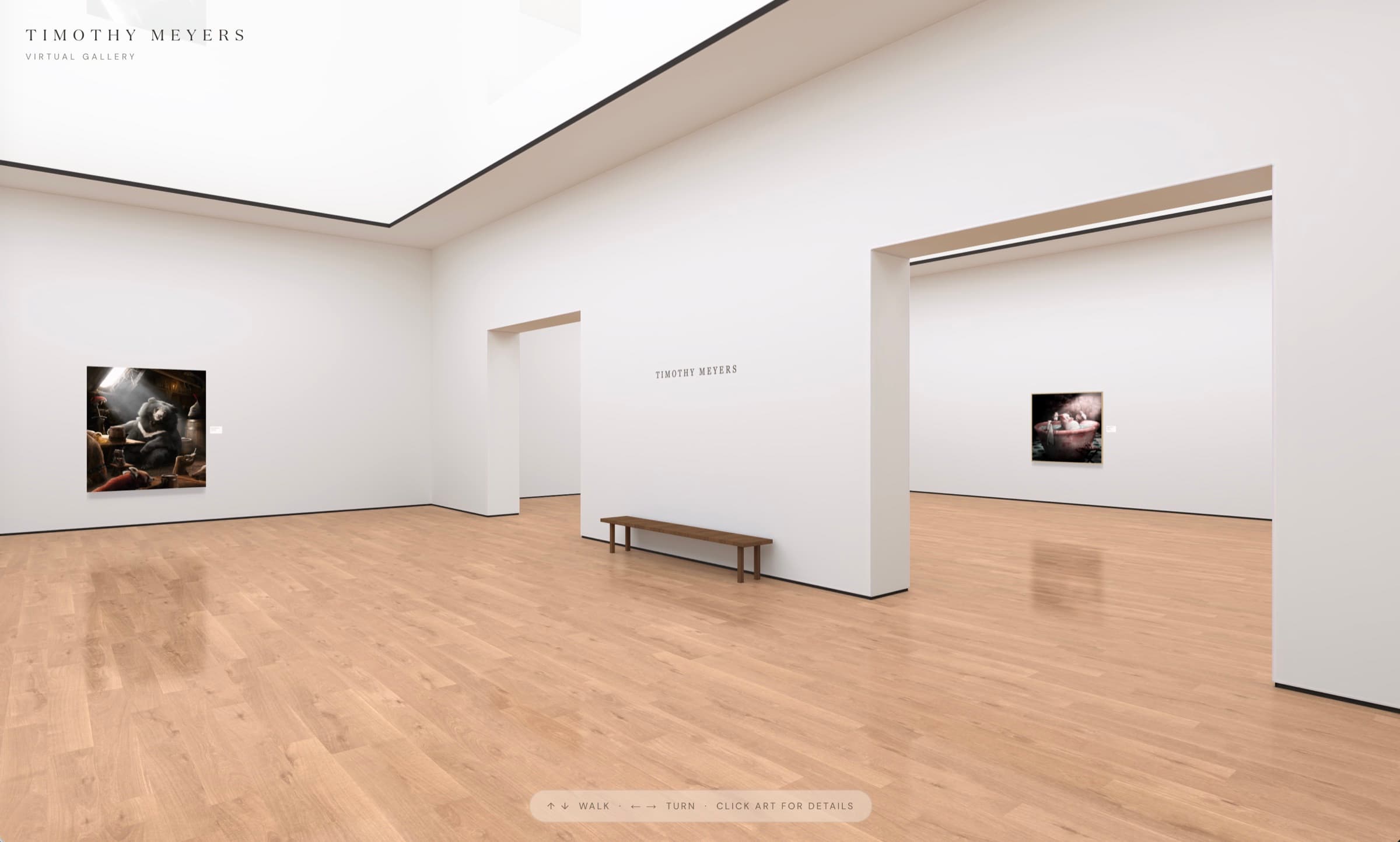
An exhibition anyone can visit
No venue, no opening hours, no one left out because they live too far away.
Class and group projects
Each student or group curates their own exhibition: choose the works, hang them, and write the wall text.
Term-end and graduation shows
Families and friends who can’t make the opening walk the show from home, and it stays up after the walls come down.
A companion to a physical show
Put the link on a wall label, a poster or a QR code, so visitors can revisit the show or share it.
How it works for a class
Each student or group builds their own exhibition, or the teacher builds one for the whole class.
- 1
Create a free Bello account
Each student or group signs up and creates a gallery, or the teacher does it for a younger class. That gallery is the exhibition.
- 2
Hang the work
Upload photos of the artworks with their real sizes, pick a room, and arrange which work hangs on which wall.
- 3
Title it on the wall
Add the exhibition’s title, an introduction and captions as wall text, anywhere in the room.
- 4
Share the link
Every exhibition has its own address at bello.art/name/gallery. Teachers can collect the links on the class page or learning platform.
Virtual exhibition questions, answered
- What is a virtual art exhibition?
- A virtual art exhibition is an art show you visit online: the artworks hang on the walls of a 3D room, and visitors walk through it in their browser, step up to each work, and read its label.
- Is it free?
- Yes. Creating and publishing an exhibition on Bello is free. Each exhibitor needs a free Bello account to build one; visitors don’t need anything.
- Who can create an exhibition?
- Anyone with a free Bello account. Accounts are for adults, or younger people with a parent’s or guardian’s permission, and Bello isn’t meant for children under 16. For a younger class, the teacher creates the exhibition and hangs the students’ work.
- Can a whole class share one exhibition?
- Yes, if the teacher builds it: one exhibition can hang the whole class’s work. What isn’t possible yet is several students editing the same exhibition from their own accounts. If your class needs that, tell us: it helps us decide what to build next.
- How is an exhibition different from a Bello gallery?
- It’s the same thing. A Bello gallery is a 3D room you hang your work in; when you use it for a show, it’s your exhibition. You’ll see the word “gallery” while you set it up.
- Do visitors need an app or an account?
- No. Anyone with the link can open the exhibition in a web browser on a phone, tablet or computer.
- Does it stay online after the show?
- Yes. A published exhibition stays at its link until its owner unpublishes or deletes it, so it works as an archive of the show.
Free, and open in minutes.
Upload the work, pick a room, title it on the wall and share the link. Nothing to install, nothing to pay.